How We Stopped OBS From Crashing Every Time the Internet Dropped
2026-05-04
A technical story about SRT, DNS resolution, internet connectivity drops, and the kind of problem you can only solve with donuts and a Docker container.
If you have not read how we kept Path to Hope online for 14 days, you should probably start there. This post is about a different problem: not the server, not the stream, but the software in the truck itself, and what happens when OBS Studio decides that losing internet is a capital offense.
The Problem: Dead Zones and a Cranky OBS
Streaming from a moving vehicle is a study in optimism. You point a camera at the windshield, you fire up OBS, and you hope that the cellular towers and the satellite dish in the sky agree to carry your pixels to the world. For the Path to Hope road trip, the truck was equipped with Starlink for primary connectivity and cellular as a backup. Most of the time, this worked. But "most of the time" is not "all of the time," and America is full of places where radio waves go to die.
Driving through the redwood forests of California, the towering trees block satellite signals like nature's own Faraday cage. The winding valleys of Utah create natural dead zones where neither cellular nor satellite can reach. Tunnels, mountain passes, and the occasional "why is there no signal in the middle of this highway" moments were daily realities, not edge cases. And every time the internet connection dropped completely, OBS Studio would crash.
Not a graceful disconnect. Not a polite "connection lost, attempting to reconnect." A full crash. The kind of crash that leaves Roamin Nomad scrambling to restart OBS while the chat sees the placeholder "hamsters on break" screen. He got so good at it that it became a running joke, but the humor wore thin in areas of weak connectivity when it happened multiple times per hour.
What is SRT and why did we choose it?
Before we get into the crashes, we should explain what SRT is and why we were using it in the first place. SRT stands for Secure Reliable Transport. It is an open-source video transport protocol developed by Haivision and now widely used in broadcast media, live events, and slightly unhinged road trip streams.
SRT was designed for exactly the kind of network we had: unreliable, high-latency, prone to packet loss. SRT uses a mechanism called ARQ (Automatic Repeat reQuest) to recover lost packets. It also handles variable bandwidth gracefully, throttling the stream rather than collapsing when the pipe gets narrow. For a truck bouncing between cellular towers and satellite beams, SRT was the right tool for the job.
On the other hand, when you're streaming to Twitch or YouTube, you're using RTMP, which stands for Real-Time Messaging Protocol. RTMP is simple, widely supported, and battle-tested, and it works great over a solid connection. Its weakness is resilience, not reliability. RTMP assumes the network will cooperate. When it does not, RTMP has no mechanism to recover. SRT was built for the opposite assumption: the network will try to kill you, and you will survive anyway.
SRT has become a standard in broadcast media for good reason. Major networks use it for live remote feeds, sports broadcasts use it for camera-to-truck transmission, and anyone who has ever tried to send video over the public internet without crying has at least considered it. SRT is robust, open, and widely used, right up until the software wrapping it decides to throw a tantrum.
The Crash
Reading the Tea Leaves (a.k.a. Logs)
When OBS crashed, we did what any self-respecting engineers would do: we asked the travelers to send us the logs and started reading. The pattern was consistent. Every crash coincided with a complete loss of internet connectivity. In the earliest days, before any workarounds, the logs showed the SRT output failing at the first hurdle: DNS resolution.
18:50:24.668: [Safe Mode] Unclean shutdown detected!
...
18:50:39.899: error:   Failed to resolve hostname streaming-server.our-domain.com: The name does not resolve for the supplied parameters
18:50:39.900: MP: Failed to open media: 'srt://streaming-server.our-domain.com:8891?streamid=read:audio-out:truck:xxxxxxxxxx&latency=1500000'
18:50:39.911: [Media Source 'StreamMix']: Disconnected. Reconnecting...
...
18:50:45.461: [obs-ffmpeg mpegts muxer: 'adv_stream']: Output format name and long_name: mpegts, MPEG-TS (MPEG-2 Transport Stream)
18:50:45.461: [obs-ffmpeg mpegts muxer / libsrt]: libsrt version 1.5.2 loaded
18:50:45.566: [obs-ffmpeg mpegts muxer / libsrt]: Connection rejected, Unknown or erroneous
...
19:11:21.561: process_packet: Error writing packet: I/O error
19:11:21.562: Output 'adv_stream': stopping
19:11:21.562: Output 'adv_stream': Total frames output: 37052
19:11:21.562: Output 'adv_stream': Reconnecting in 2.00 seconds..
19:11:23.565: [obs-ffmpeg mpegts muxer / libsrt]: libsrt version 1.5.2 loaded
19:11:33.654: [obs-ffmpeg mpegts muxer / libsrt]: Failed to resolve hostname streaming-server.our-domain.com: No such host is known.
19:11:33.654: [obs-ffmpeg mpegts muxer: 'adv_stream']: Failed to open the url or invalid stream
19:11:33.654: Output 'adv_stream': Reconnecting in 2.94 seconds..
19:11:36.594: [obs-ffmpeg mpegts muxer / libsrt]: libsrt version 1.5.2 loaded
19:11:45.747: [obs-ffmpeg mpegts muxer / libsrt]: Failed to resolve hostname streaming-server.our-domain.com: No such host is known.
19:11:45.747: [obs-ffmpeg mpegts muxer: 'adv_stream']: Failed to open the url or invalid stream
19:11:45.747: Output 'adv_stream': Reconnecting in 4.32 seconds..
19:12:00.356: [obs-websocket] [WebSocketServer::onOpen] New WebSocket client has connected from [::ffff:127.0.0.1]:64847
19:12:00.357: [obs-websocket] [WebSocketServer::onMessage] Sending message to client failed: Bad Connection
The evidence is all here. OBS started in Safe Mode because the previous session had crashed uncleanly. The StreamMix input source, which was pulling audio back from the server, could not resolve the hostname either. Then the stream output lost its connection, tried to reconnect, and failed DNS twice in a row with escalating backoff delays. The WebSocket connection to our control software was also failing. With no internet, there was no DNS server to ask, and OBS's response was to crash shortly after.
To work around any DNS resolution issues, we moved to a hard-coded IP address instead, since our server would not be moving during the course of the trip. OBS would attempt to connect, get rejected dozens of times, and eventually crash in the SRT cleanup path:
15:37:00.775: [Safe Mode] Unclean shutdown detected!
...
15:37:26.023: [obs-ffmpeg mpegts muxer: 'adv_stream']: Output format name and long_name: mpegts, MPEG-TS (MPEG-2 Transport Stream)
15:37:26.023: [obs-ffmpeg mpegts muxer / libsrt]: libsrt version 1.5.2 loaded
15:37:26.128: [obs-ffmpeg mpegts muxer / libsrt]: Connection rejected, Unknown or erroneous
...
15:50:17.925: [obs-ffmpeg mpegts muxer / libsrt]: Connection rejected, Unknown or erroneous
15:50:17.925: process_packet: Error writing packet: I/O error
15:50:17.925: Output 'adv_stream': stopping
15:50:17.925: Output 'adv_stream': Total frames output: 23109
15:50:17.925: Output 'adv_stream': Total drawn frames: 23157
15:50:17.925: Output 'adv_stream': Reconnecting in 2.00 seconds..
...
15:50:22.937: [obs-ffmpeg mpegts muxer / libsrt]: Connection rejected, wrong password or invalid URL
15:50:22.937: [obs-ffmpeg mpegts muxer / libsrt]: Connection to srt://104.105.106.107:8890?streamid=publish:truck:truck:xxxxxxxxxxxxxxxxxxx&latency=3000 failed: No such process
15:50:22.937: [obs-ffmpeg mpegts muxer: 'adv_stream']: Failed to open the url or invalid stream
15:50:22.937: [obs-ffmpeg mpegts muxer: 'adv_stream']: Failed to open the url
15:50:22.937: Output 'adv_stream': Reconnecting in 2.94 seconds..
...
15:50:28.890: [obs-ffmpeg mpegts muxer / libsrt]: Connection rejected, wrong password or invalid URL
15:50:28.890: [obs-ffmpeg mpegts muxer / libsrt]: Connection to srt://104.105.106.107:8890?streamid=publish:truck:truck:xxxxxxxxxxxxxxxxxxx&latency=3000 failed: No such process
15:50:28.890: [obs-ffmpeg mpegts muxer: 'adv_stream']: Failed to open the url or invalid stream
15:50:28.890: [obs-ffmpeg mpegts muxer: 'adv_stream']: Failed to open the url
15:50:28.890: Output 'adv_stream': Reconnecting in 4.32 seconds..
...

--- CRASH DUMP ---

Unhandled exception: c0000005
Date/Time: 2026-04-24, 15:50:29
Fault address: 7FFE22CE4F10 (c:\program files\obs-studio\obs-plugins\64bit\obs-ffmpeg.dll)
libobs version: 31.1.2 (64-bit)
Windows version: 10.0 build 26200 (release: 25H2; revision: 8246; 64-bit)
CPU: 12th Gen Intel(R) Core(TM) i5-12600H

Thread 4628: (Crashed)
Stack            EIP              Arg0             Arg1             Arg2             Arg3             Address
00000007267FF2B0 00007FFE22CE4F10 00000111D6FEE198 00000111D6FEDFD8 00000111D6FEDFA0 00007FFE37DF76E7 obs-ffmpeg.dll!close_mpegts_url+0x60
00000007267FF510 00007FFE22CE52DF 00000111D6FEDFA0 00000111D6FEDFA0 00000007267FF660 00007FFE17F40FAC obs-ffmpeg.dll!ffmpeg_mpegts_data_free+0x17f
00000007267FF560 00007FFE22CE5E8A 00000111D3540000 00000111D6FEDFA0 00000111FE7313C0 0000000000000000 obs-ffmpeg.dll!set_config+0x6da
00000007267FF710 00007FFE22CE60DE 0000000000000000 000001119BE469B0 00000007267FF7A0 00000111FE7313C0 obs-ffmpeg.dll!start_thread+0xe
00000007267FF740 00007FFE47941461 000001119BE469B0 0000000000000000 0000000000000000 0000000000000000 w32-pthreads.dll!ptw32_threadStart+0x171
The root cause was clear: OBS's SRT implementation did not handle total network absence gracefully. First it was DNS resolution failing. Then, after we bypassed DNS entirely with a hard-coded IP, it was the stream output getting rejected dozens of times and eventually crashing in obs-ffmpeg.dll!close_mpegts_url during cleanup. The access violation (c0000005) in the mpegts URL close path meant the SRT teardown code was dereferencing a bad pointer, a classic use-after-free or null dereference when the connection state was already corrupt from all the failed attempts.
The OBS Non-Upgrade
Research revealed that this intermittent crashing was a known issue with OBS and SRT. A fix was merged in September 2025 and included in OBS 32. The truck's laptop was running OBS 31.1.2, which predated the fix.
It is entirely possible that simply updating OBS to the latest version would have resolved the crashes. It's also possible that such an upgrade would not have resolved the crashes. In any case, as anyone who has ever upgraded OBS can attest, there's no guarantee that everything will run without issues or adjustments on the newer version. A moving truck with spotty internet connectivity in the middle of a road trip is not the time or place to perform an OBS upgrade.
The Colorado Donut Fix
Donuts and Inspiration
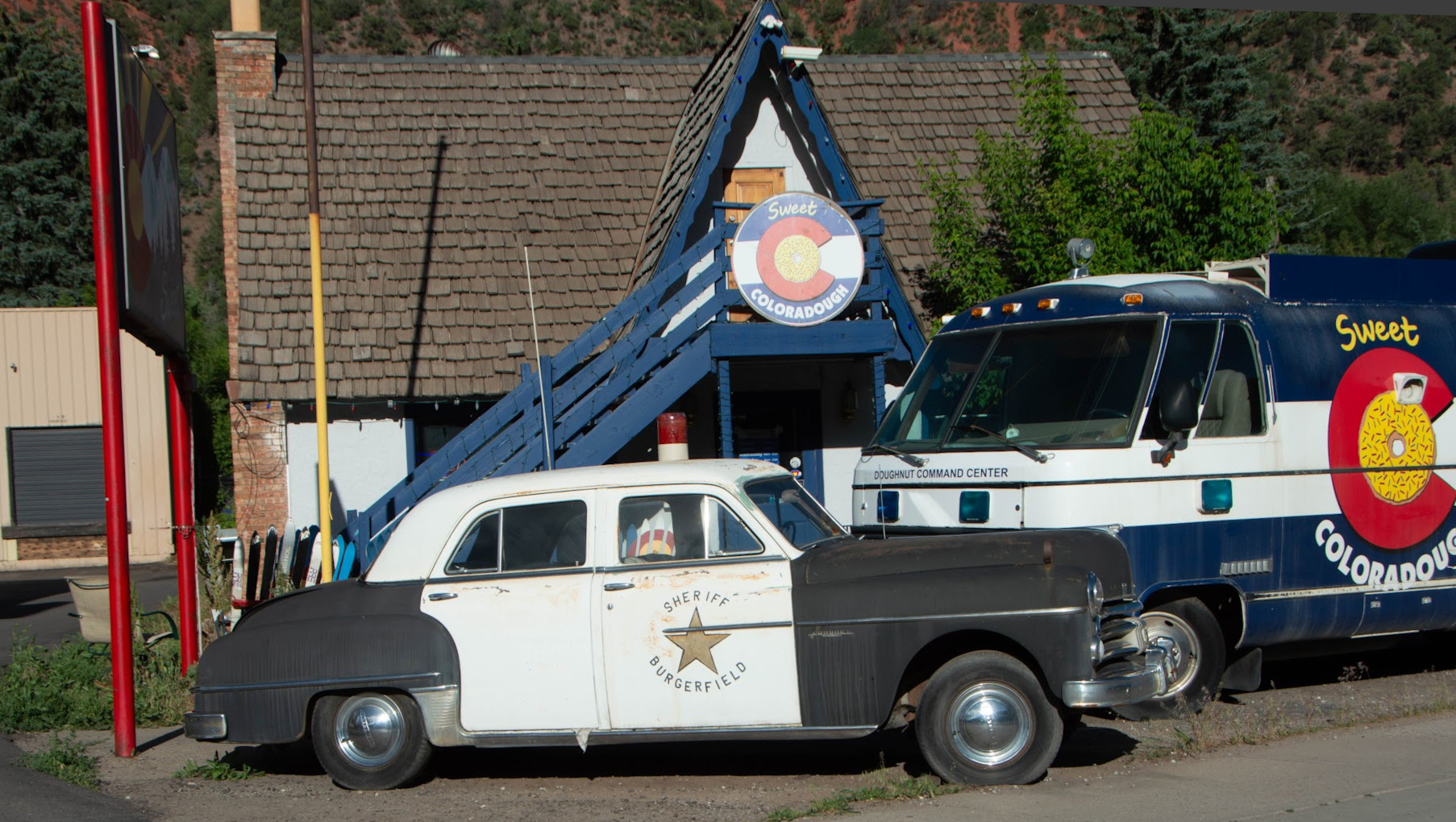
Nordic Noob and Roamin Nomad had stopped for donuts at Sweet Coloradough in Glenwood Springs, Colorado. The chat was enjoying the break, the streamers were enjoying their pastries, and Mage and Brock were remotely connected to the truck's onboard computer, trying to avoid having Roamin Nomad spend the rest of the trip playing whack-a-mole with streaming software.
The Glenwood Canyon tunnels were coming up very soon. If we did not solve this now, the stream was going to die again, and again, and again, every time the truck passed through a dead zone.
The Design
OBS was crashing because it could not reach the remote SRT server. But what if OBS did not need to reach the remote server? What if OBS only needed to reach something local, something that was always there and always reachable, and we let that local relay handle the internet chaos?
The design was not a new idea. We had already used this same idea in our server infrastructure with a relay to sit between an unreliable incoming stream and a reliable destination, absorbing network instability so the viewer never saw it. The pattern was familiar. What changed was the direction: instead of shielding the destination from a bad source, we would shield the source from a bad destination.
The plan was to run mediamtx and ffmpeg on the truck's laptop. OBS would stream RTMP to localhost, specifically to the mediamtx instance running inside a Docker container. Because that's on the same computer it's always reachable, so OBS would never see a connection failure. The container's ffmpeg process would then read the RTMP stream and forward it to the remote SRT server, handling reconnections, network dropouts, and all the chaos that came with mobile internet.
This would add a bit of latency, but OBS would be blissfully ignorant of the outside world. It was worth trading off some latency to gain reliability.
Docker to the Rescue
The truck's onboard computer ran Windows. We would have much preferred Linux, since most of the server-side software we write is Linux-native, and we would have had better remote connectivity. But Windows it was, and that meant we needed a way to run Linux software on a Windows machine.
Enter Docker Desktop. Docker is a container runtime that packages an application and all of its dependencies into a single image. A container is essentially a lightweight, isolated environment that shares the host's kernel but has its own filesystem, network stack, and process space. On Windows, Docker Desktop uses the Windows Subsystem for Linux (WSL2) to provide a Linux kernel, which means a container built from a Linux base image runs as if it were on a Linux machine, even though the host is Windows. This let us run Alpine Linux, ffmpeg, and mediamtx exactly as we would on a native Linux server, without changing the truck laptop's operating system.
We were already using Docker on the truck computer to run the custom software that The Static Mage had written to let viewers control the camera view, switching between the cabin camera, the forward-facing road camera, and other angles via chat commands. Docker was already part of the stack, so adding another container was straightforward. This would be our delivery mechanism.
Dockerfile
Here is the Dockerfile we used to build the container. It is based on Alpine Linux for a small footprint and installs ffmpeg from apk, downloads the mediamtx binary, and adds a couple of custom scripts that we created:
FROM alpine:3.22

# Install ffmpeg
RUN apk add --no-cache ffmpeg

# Download mediamtx amd64 binary
ARG MEDIAMTX_VERSION=v1.17.1
ADD https://github.com/bluenviron/mediamtx/releases/download/${MEDIAMTX_VERSION}/mediamtx_${MEDIAMTX_VERSION}_linux_amd64.tar.gz /tmp/mediamtx.tar.gz
RUN tar -xzf /tmp/mediamtx.tar.gz -C /usr/local/bin mediamtx \
    && rm /tmp/mediamtx.tar.gz

# Copy configuration and scripts
COPY scripts/start-ffmpeg.sh /usr/local/bin/start-ffmpeg.sh
COPY scripts/stop-ffmpeg.sh /usr/local/bin/stop-ffmpeg.sh

RUN chmod +x /usr/local/bin/start-ffmpeg.sh /usr/local/bin/stop-ffmpeg.sh

ENTRYPOINT ["/usr/local/bin/mediamtx", "/etc/mediamtx/mediamtx.yml"]
docker-compose.yml
The container was orchestrated with Docker Compose. Using Docker Compose was a bit of overkill for a single-container service. However, in Docker Desktop, defining a service via Docker Compose makes starting and stopping the service as easy as clicking on a "Play" or "Stop" button. The streamers were not especially technical, so they valued this point-and-click simplicity.
Note: This docker-compose.yml file has the bulk of the configuration. You'll need to update the image, STREAM_IN, STREAM_OUT, and possibly STREAM_FORMAT to match your actual needs.
# docker-compose.yml
services:
  mediamtx-ffmpeg:
    image: registry.example.com/ffmpeg-mediamtx:latest
    restart: unless-stopped
    environment:
      - STREAM_IN=rtmp://localhost:1935/truck
      - STREAM_OUT=srt://1.2.3.4:8890?streamid=publish:truck:username:password&latency=3000000
      - STREAM_FORMAT=mpegts
    volumes:
      - ./mediamtx.yml:/etc/mediamtx/mediamtx.yml:ro
    ports:
      - "1935:1935"
mediamtx Configuration
The mediamtx configuration allows RTMP ingest. The key feature is the runOnReady and runOnNotReady hooks: when a publisher connects to the truck path, mediamtx automatically calls start-ffmpeg.sh to begin forwarding. When the publisher disconnects, it calls stop-ffmpeg.sh.
Important: We didn't bother with any authentication here because this mediamtx instance was only exposed on the local system, not the internet. Do not expose mediamtx running this configuration to the public internet.
# mediamtx.yml
logLevel: info
logDestinations: [ stdout ]

authMethod: internal

authInternalUsers:
- user: any
  pass:
  ips: []
  permissions:
  - action: read
    path: truck
  - action: publish
    path: truck

api: no
metrics: no
playback: no
rtsp: no
rtmp: yes
rtmpAddress: :1935
hls: no
webrtc: no
srt: no

paths:
  truck:
    runOnReady: /usr/local/bin/start-ffmpeg.sh
    runOnNotReady: /usr/local/bin/stop-ffmpeg.sh
    runOnReadyRestart: yes

  all_others:
Start and Stop Scripts
When OBS connects to mediamtx and starts publishing to the truck path, mediamtx fires the runOnReady hook. The start script launches ffmpeg to read the local RTMP stream and forward it over SRT to the remote server (this is scripts/start-ffmpeg.sh):
#!/bin/sh
set -u

ffmpeg \
    -i "${STREAM_IN}" \
    -c:v copy \
    -c:a copy \
    -f "${STREAM_FORMAT}" \
    "${STREAM_OUT}" &

ffmpeg_pid="$!"
echo "$ffmpeg_pid" > /run/ffmpeg.pid
wait "$ffmpeg_pid"
exit 0
You may have noticed that the latency is set to 3000000 in the STREAM_OUT environment variable in our docker-compose.yml file. That's in microseconds, which translates to 3 seconds. This bakes in a delay, but also a recovery period in case of network interruptions (of which there are many in this setup).
When OBS stops streaming, the runOnNotReady hook fires and the stop script kills the ffmpeg process (this is scripts/stop-ffmpeg.sh):
#!/bin/sh
set -eu

if [ -f /run/ffmpeg.pid ]; then
    kill "$(cat /run/ffmpeg.pid)" 2>/dev/null || true
    rm -f /run/ffmpeg.pid
fi
OBS Configuration
In OBS, we changed the stream output from the remote SRT server to the local mediamtx container via RTMP:
rtmp://127.0.0.1:1935/truckBecause 127.0.0.1 is always reachable, OBS never again experienced a connection failure. The stream to localhost was rock-solid. The container handled everything else, including starting ffmpeg automatically when OBS connected and forwarding the stream over SRT to the remote server.
Real-Life Connectivity Experiences
The Redwood Forest
The first real connectivity issues surfaced in the redwood forests of Northern California. Dense tree canopy, winding roads, and long stretches where neither Starlink nor cellular could maintain a stable connection. We expected this to be a disaster, and it did produce some dropouts, but surprisingly, connectivity was better than we had feared. Roamin Nomad restarted OBS a few times, but they made it out the other side. It was annoying, but manageable.
The Utah Valleys
Utah was where the problem became unbearable. The deep mountain valleys created natural radio shadows where signals simply could not reach. OBS was crashing every few minutes. The chat was sympathetic but the streamers were frustrated. By the time the truck left Utah, we knew we needed something other than whack-a-mole restarts of OBS.
The Tunnels of Glenwood Canyon
The Colorado Donut Fix was applied at Sweet Coloradough in Glenwood Springs, Colorado. The first of the Glenwood Canyon tunnels is just a few miles up I-70 from there. As expected, the truck lost all connectivity in the tunnels. Starlink, cellular, everything went dark. But OBS did not crash. It kept streaming to localhost, blissfully unaware that the outside world had vanished.
Inside the container, ffmpeg became unable to transmit to the remote server and the process failed. But the runOnReadyRestart directive of mediamtx launched the process again, and again, and again. When the truck emerged from the tunnel and connectivity returned, a re-launched ffmpeg reconnected automatically. OBS did not crash and the truck stream quickly reconnected on the other side of the tunnel. Roamin Nomad did not have to touch anything.
The tunnels of Glenwood Canyon were the first completely dead zones we had crossed without an OBS crash in days, and from that point forward, we never saw another one. Which includes passing through the Eisenhower Tunnel a couple hours later.
Lessons and Takeaways
Decouple and Delegate
The core lesson of this fix is one of the oldest in systems engineering: if a component is fragile, decouple it from the parts that need to be stable. OBS's SRT implementation could not handle network absence. Rather than trying to fix OBS, which was impractical in a moving truck, we changed the architecture so that OBS never had to deal with it.
By introducing a local relay, we drew a clean line between OBS (which needs stability) and the network (which is inherently unstable). OBS talked to localhost. The relay talked to the internet. Each component handles the chaos it is equipped to handle.
Docker Is a Superpower
We did not originally plan to use Docker Desktop for anything other than the camera switching, but we were able to use the existing installation on the truck computer to deliver more software on-the-move (literally). Without it, we would have needed to develop a fix native to Windows, which should be possible in theory but would not have been within our normal comfort zone. But because the container runtime was already there, adding a new service was as simple as building an image and starting it.
If you are building infrastructure for a mobile streaming setup, a container runtime It is a force multiplier, not merely convenient. It lets a remote technical team deploy, update, and roll back services without touching the host operating system. That flexibility is invaluable, especially when the users of the system in the field are less technical.
Sometimes the Fix Is Not a Fix
We spent a non-trivial amount of time trying to "fix" OBS: hosts file entries and hard-coded IPs to name a couple. None of it worked because the problem was in OBS, notably that the SRT plugin could not handle a total network absence. No amount of DNS trickery or workarounds would change that.
The actual solution was to change the system so that OBS never encountered the condition that broke it, rather than trying to fix OBS itself. This is a subtle but important distinction. Engineers love to fix bugs. Sometimes the right move is to make the bug irrelevant.
The Donut Factor
We cannot prove that the donuts from Sweet Coloradough were essential to this fix. But we also cannot prove that they were not. Correlation may not be causation, but the stream was notably more stable after the donuts were consumed. And the donuts were delicious. We will let the reader draw their own conclusions.
The Fix That Stuck
The Colorado Donut Fix, as it came to be known, was one of the simplest and most effective changes we made during the entire Path to Hope trip. A Docker container, a local mediamtx instance, an ffmpeg forwarder, and a couple of Bash scripts. That was it. The entire setup took about an hour to build and test, and less than 15 minutes to deploy. It eliminated a problem that had been plaguing us for days.
OBS crashes went from a frequent annoyance to a non-issue. The streamers could focus on the road, the viewers could focus on the stream, and we could focus on the next problem, which, knowing this trip, was surely waiting just around the next mountain pass.
We would absolutely build the same relay again. Though next time, we might skip straight to the donuts.